 iRedMail
// Document Index
iRedMail
// Document IndexTo limit access from certain IP addresses/networks, please login to EE as
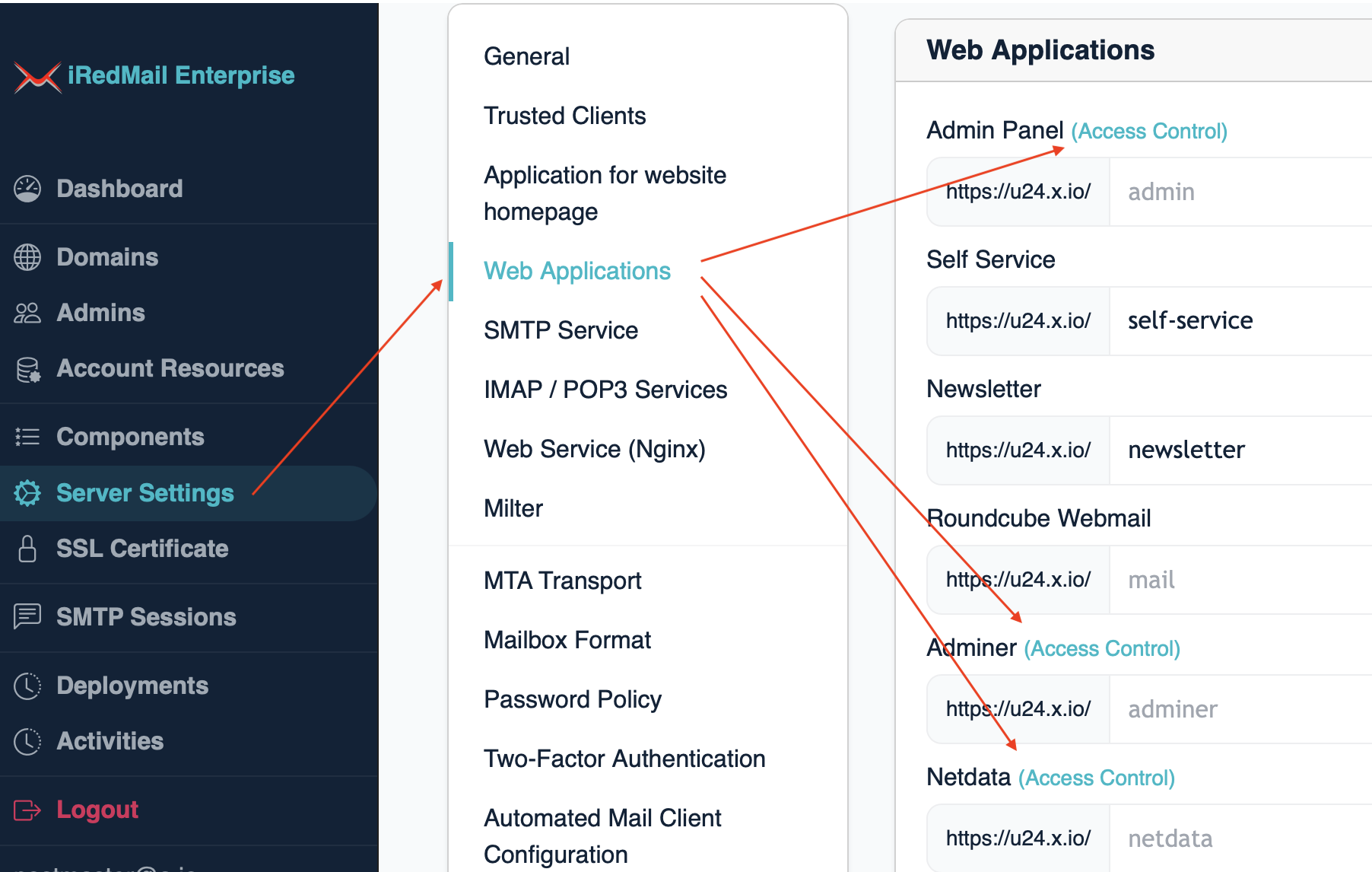
global admin, click Server Settings -> Web Applications, then click the
link Access Control right beside the web application name:
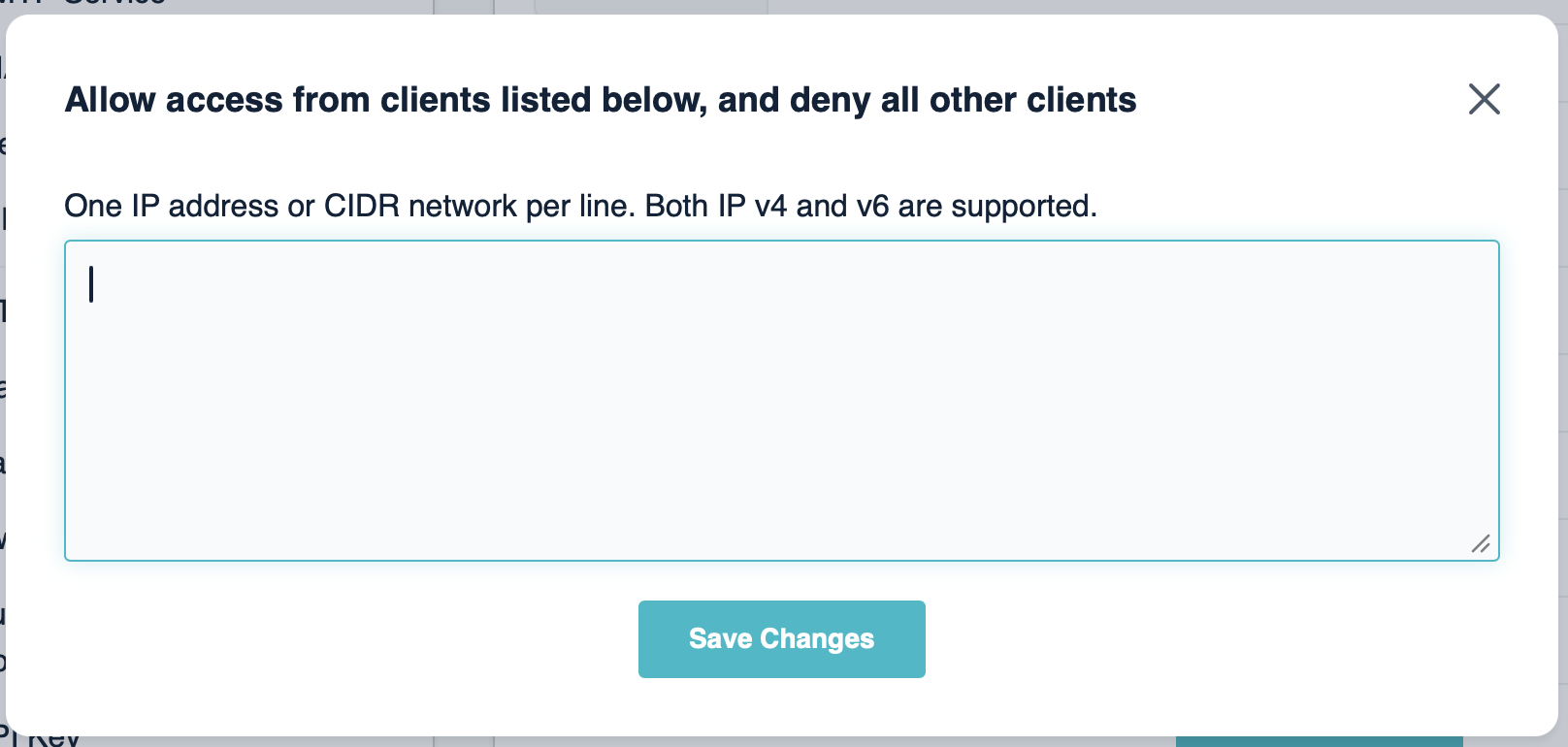
Input the allowed IP addresses or CIDR networks, click Save Changes:
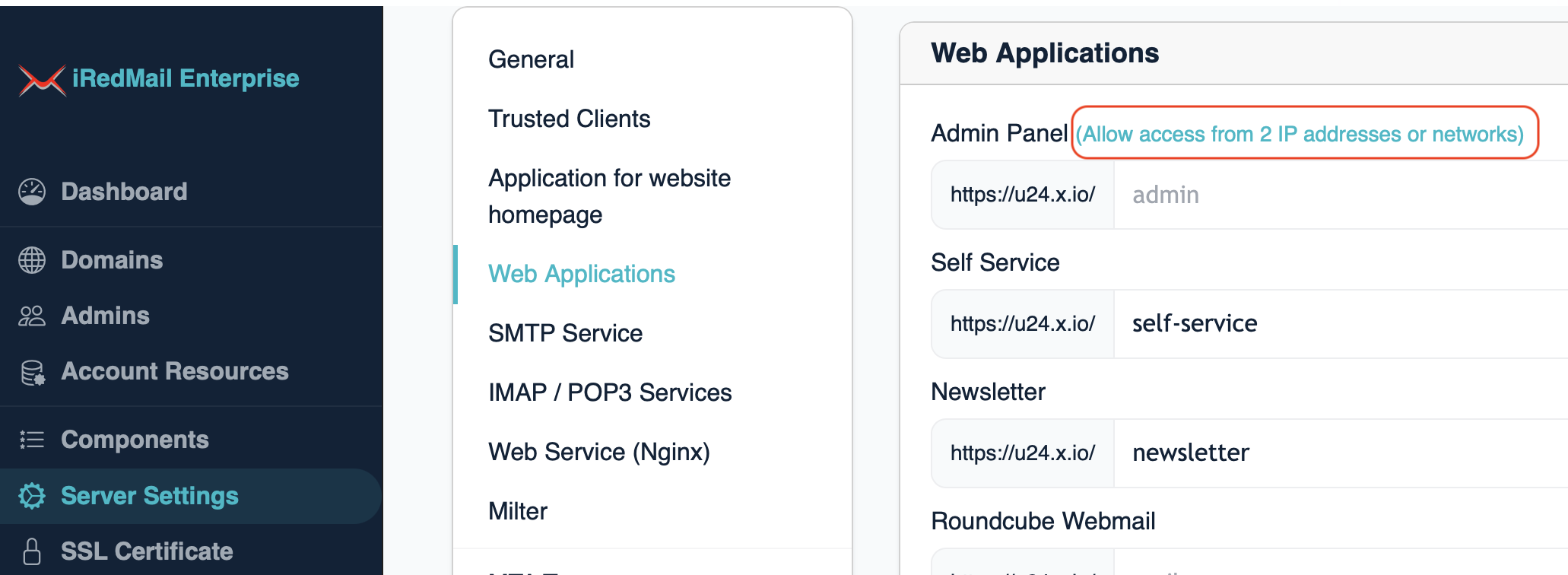
After saved, it will show you Allow access from X IP addresses or networks:
Click Apply Now on bottom-right corner to actually apply saved changes, it
will add ACL in Nginx config files for access control.